Deploy with confidence.
Orchestrate GitHub Actions across every repository and move through release day with a clear plan.
macOS, Windows & Linux · Pro is a one-time purchase
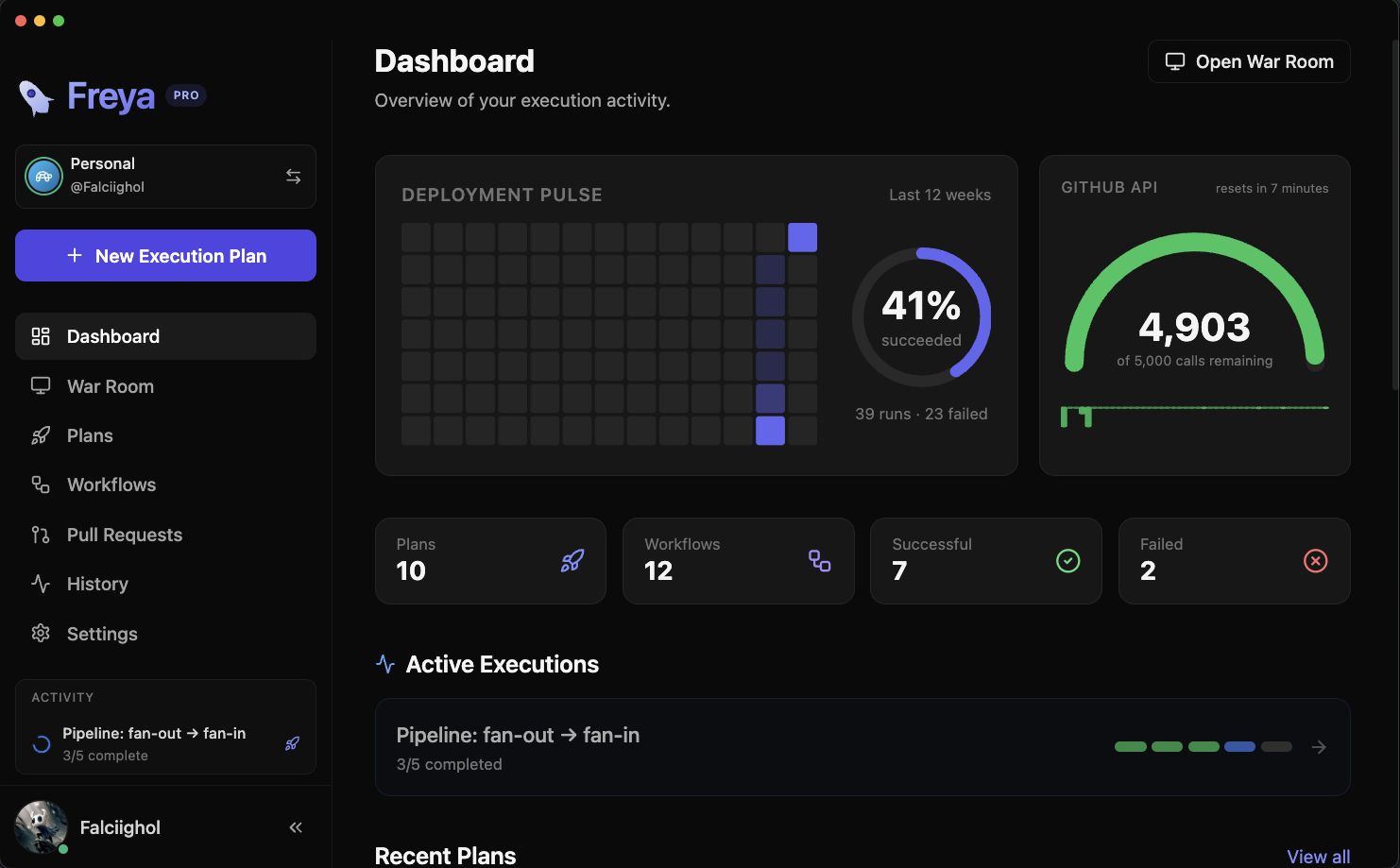
EXECUTION PLANS
Orchestrate your entire release.
Build multi-step release plans that coordinate workflows across repositories, choose sequential or parallel execution, and clear environment approval gates inline — without ever opening a browser tab.
Dummy deploy
RunningRecurring
Executions
Pull Requests
RefreshPULL REQUEST INBOX
Every PR, one unified view.
Triage pull requests across watched repos in filtered tabs — review state, rolled-up CI checks, approvals, and merge readiness at a glance. Approve, label, merge, or close in bulk without bouncing between browser tabs.
WAR ROOM Pro
Full-screen situational awareness.
Put Freya on a second monitor and keep release state readable across the room — a live wall clock, per-step progress, failure and approval callouts, and an event ticker built for high-pressure deploy windows.
Pipeline: fan-out → fan-in
0 / 5Trigger this plan automatically while Freya is open.
Next run: Mon, Jun 29 · 9:00 AM
Standard cron — minute, hour, day, month, weekday.
Upcoming runs
SCHEDULED EXECUTION Pro
Set it. Forget it. Ship it.
Schedule one-time or cron-based plans, preview the next runs before you commit, and build repeatable release routines that don't depend on someone remembering the exact sequence every time.
REPO COMMIT GRAPH
Read your history at a glance.
Explore a fast, GitLens-style commit graph for any repo — colored branch lanes, tags, and ahead/behind tracking — with deploy and pull-request overlays mapped right onto the commits that shipped them.
Insights
248
12 failures
Success rate
248 total runs
3m 42s
per plan run
Deploy Staging
72% success · 18 runs
| Workflow | Runs | Success | Trend |
|---|---|---|---|
| Deploy to Production | 84 | 98% | |
| Integration Tests | 96 | 88% | |
| Deploy Staging | 18 | 72% | |
WORKFLOW INSIGHTS Pro
Know which workflows to trust.
Turn run history into analytics — success rates, average durations, and a flakiness ranking across every workflow — so you can spot the pipeline that keeps breaking before it breaks your release.
And everything else you'd expect.
The release workflow essentials are built in, polished, and ready from the first launch.
Workflow library
Save reusable workflow configs once and launch them without re-entering repo details.
GitHub App auth
Sign in with GitHub and keep profile-scoped sessions refreshed automatically.
Live log streaming
Follow GitHub Actions job output as runs progress without leaving the desktop app.
Rate limit alarms Pro
Get warned before GitHub API limits become the reason your release slows down.
Import/export
Move plans and workflow configs between machines with versioned JSON snapshots.
Multiple profiles Pro
Switch between separate GitHub workspaces without mixing plans, tokens, or inbox state.
Quick Run monitoring Pro
Dispatch ad-hoc workflows fast and keep live status visible after the dialog closes.
Environment approvals
Handle deployment gates inline and keep releases moving without opening GitHub.
Sequential + parallel
Run all repos at once or step through them in order with failure-aware control flow.
Command palette
Jump to plans, workflows, and settings quickly with keyboard-first navigation.
Dark mode
A native-feeling interface that looks at home in dim rooms and late-night deploys.
Customizable themes Pro
Unlock extra accent colors and diff themes to match how your team likes to work.
Desktop notifications
Get native alerts when a run needs approval, fails, or finishes — even when Freya is in the background.
External editor & checkout Pro
Check out a PR locally and jump straight into your editor of choice from the detail drawer.
Pipeline dependencies
Wire steps into a fan-out / fan-in DAG on a visual canvas and let Freya run them in dependency order.
Cloud Sync Pro
Keep plans, workflow configs, and settings in step across devices — via end-to-end encrypted Freya Cloud, or your own Google Drive, iCloud, or a synced folder. Either way, Freya can never read your data.
One price. No subscriptions.
Start free, upgrade once, and keep using Freya without recurring charges or surprise renewals.
Free
Everything you need to start orchestrating releases.
- •Up to 3 execution plans, sequential or parallel
- •Live logs, environment approvals & PR inbox
- •Repo commit graph, workflow library & command palette
- •Import/export, one workspace profile & core themes
- •Last 5 plan runs kept in history
Pro
For teams and power users who want the whole release desk.
- •Everything in Free, plus:
- •Unlimited plans, full history & scheduled (cron) execution
- •Recurring and template plan types
- •War Room, Quick Run monitoring & rate-limit alarms
- •Workflow Insights + repo-graph deploy / PR overlays
- •Multiple profiles, unlimited graph repos & PR bulk actions
- •Saved PR views, external editor, local checkout & extra themes
- •Cloud Sync across devices — end-to-end encrypted Freya Cloud, Google Drive, iCloud, or a synced folder
VAT, GST & local tax handled by Paddle · refunds under the published policy.
Pay once, own forever. No recurring charges, ever.
Questions
How does scheduling work?
Freya can fire one-shot or cron-based plans while the app is open. You set the schedule once, and Freya handles the dispatch timing from your desktop.
Where does my data live?
Your plans, settings, and session data live locally on your machine. Freya talks to GitHub directly and does not require a hosted backend for core app usage. Pro users can optionally turn on Cloud Sync to mirror a portable subset of that data to a destination they choose — see the next question.
Does Freya sync my data to the cloud?
Only if you turn it on. Cloud Sync (Pro) is off by default and lets you keep plans, workflow configs, and settings consistent across devices. The recommended option is Freya Cloud — end-to-end encrypted sync where your data is encrypted on your device with a passphrase only you know, so our server stores only ciphertext it cannot decrypt. Prefer your own storage? Google Drive, iCloud, or any folder you pick also work; the Drive option only requests a hidden, app-scoped folder. Your GitHub token, license key, and run history are never included in what syncs. See our Privacy Policy for the full breakdown.
Which platforms does Freya run on?
Freya is a native desktop app for macOS, Windows, and Linux, shipped as a DMG, NSIS installer, and AppImage with built-in auto-updates. There is no browser version.
Is my GitHub token safe?
Yes. You sign in through GitHub's official device flow, and access tokens are stored encrypted with your operating system's secure storage — they never leave your machine or pass through a Freya server.
What happens if my license server is unreachable?
Freya Pro keeps working. Licenses verify against the server when possible, but a 14-day offline grace period means a flaky connection or a server hiccup never locks you out of features you've paid for.
Do you collect telemetry?
No. Freya is designed to help you ship software, not to harvest usage data from your workstation.
What if I want a refund?
Paddle handles checkout and tax collection, and Freya offers a published refund policy so you can buy with confidence.
Ready to take control of your releases?
Download Freya, connect your GitHub workspace, and run your next release from a desktop app built for focused execution.
Download for free